

<
Previous
|
Next
|
Contents
>
Race of Multi Agents
We are going to create a very simple multi agent's race as shown in the pictures above. The black circles represent empty places and the red squares with green circles are our agents. The coordinate position of each agent is marked on the top (0 to 25).
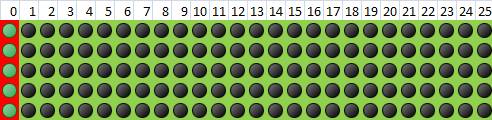
In the beginning, all agents are located on the left cells. When the race begins, each agent will move to the right, maximum one cell at a time. Each agent can only move within its own lane, thus cannot move to the right or to the left.
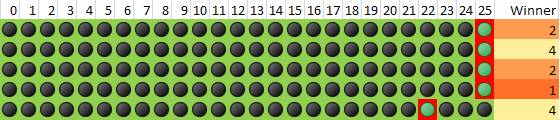
When the agents reach the final destination (at position 25), we count the time they spend in the race and rank the winner. In above drawing agent in row 4 is the winner (rank =1), followed by agents in row 1 and 3. Agent in row 5 did not reach the finished line, thus the rank has not been updated.
You can
download the spreadsheet
here
(for MS Excel 2007 and above) and play around using the following steps:
-
Delete the content of control cell (blue cell C1 that contain word "STOP"):
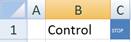
- Press function key F9 repeatedly to see the animation of the race
- If you want to restart the race, type any character or number in the control cell (C1), then do step 1 & 2 above again.
If you want to know how the program works, read the next section of this tutorial.
<
Previous
|
Next
|
Contents
>
Rate this tutorial or give your comments about this tutorial