
Show Selected Layers
Suppose you have this map from previous section :
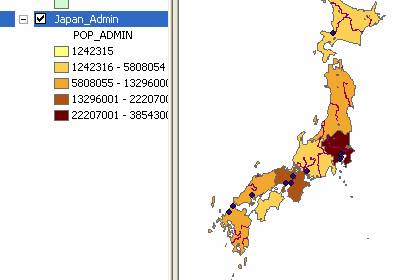
However, that map contains many other layers of rivers and cities and water s. How do we select only the administrative boundary , or only the administrative boundary and cities without river and water?
Solution:
You can easily uncheck undesirable layers name on the layer table of content on the left.
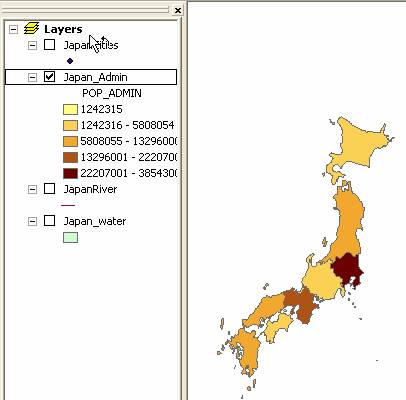
If you have several layers and you want to put on top of the other, you can do drag and drop of that layer too. For example, if you want to show Cities but the cities layer is below the administrative boundary , the cities layer will be covered by the administrative boundary . You may drag and drop cities layer on the top of administrative boundary to be able to see the cities . Of course, you need to check the Cities layer to show that layer.
This tutorial is copyrighted .
Preferable reference for this tutorial is
Teknomo, Kardi (2015) Introduction to GIS. https:\\people.revoledu.com\kardi\ tutorial\GIS\