
What is GIS?
GIS is abbreviation of Geographic Information system. Aside from buzzwords and much hype about it, GIS in a very simple term is just a combination of Maps and database. In other words, GIS is a spatial database .

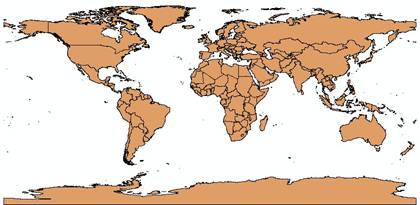
Map is a very useful geographical tool to show the location of places. You may have learned about the world map with many countries in it.
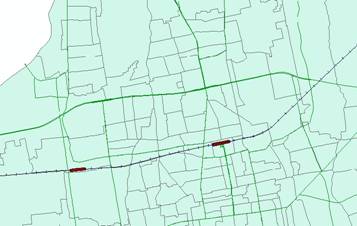
You may have recognized city map with district boundary and road and railway as shown below.
For those of you who do not even know what a database is, you can imagine a database as relational tables .
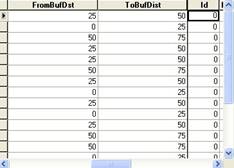
Database is more than a simple table because in it you can do some query (search back for some data) and make relationship between one table and the other tables.
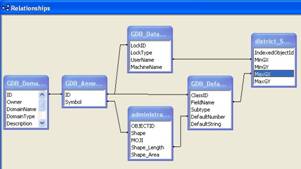
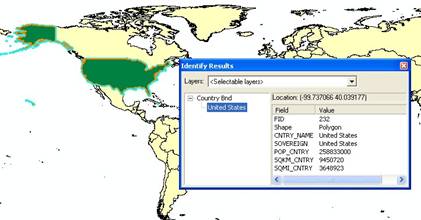
GIS is a combination of Maps and Database. Depending on how we represent the map, every element in the map may have an association or connection with some database table. For example, selecting a country in the world map that has an association with a table will show all the attributes data related to that selection.
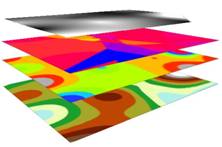
Maps in GIS can be separated into several layers. Each layer map can be viewed in combination with some other layers, or it can be seen as a separate layer. You may extract some information based on these layers. For instance, you may search for some location based on several criteria, or find some pattern over several years map, query features that near to some other feature, and so on. Later in this series of GIS tutorial, you may learn further query, analysis, and modeling and enhance decision support system using the power of GIS.
This tutorial is copyrighted .
Preferable reference for this tutorial is
Teknomo, Kardi (2015) Introduction to GIS. https:\\people.revoledu.com\kardi\ tutorial\GIS\