
Kardi Teknomo
Kardi Teknomo Kardi Teknomo Kardi Teknomo
   
 
Research
Publications
Tutorials
Resume
Personal
Resources
Contact


GIS Tutorial:

What is GIS
GIS data model
Vector Data
Point
Line
Polygon
Vector Representation
Raster Data
TIN model
Scale of Map
Introduction to ArcGIS
Exploring ArcMap
Basic GIS technique
Extract part of the map
Query by Attribute
Create layer from selection
Convert Layer to Shape File
Create a New Map from Extracted Layers
Create Choropleth map
Showing only selected layers
Create Dot Density map
Change Symbol of Points
Buffer
Geoprocessing
Add Field and Calculate Value of Table
Statistic, Sort and Summary
GIS Resources

How do we extract part of the map that we want?

By Kardi Teknomo, PhD.

<Content | Previous | Next >

In this sample map of South East Asia , we want to extract only one country, for example Japan.
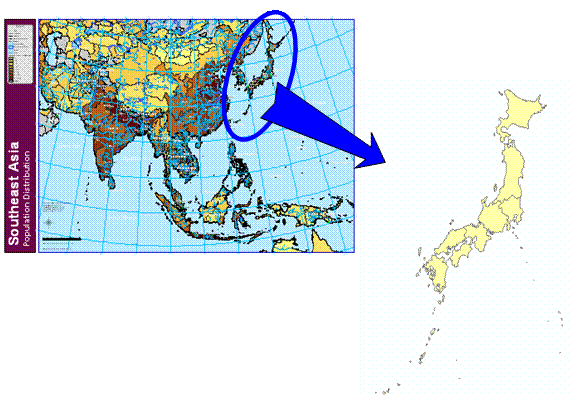
Here are step-by-steps procedures

  1. Query by Attribute
  2. Create layer from selection
  3. Optionally, Convert Layer to Shape File
  4. Create a New Map from Extracted Layers /Shape files

<Content | Previous | Next >


This tutorial is copyrighted.

Preferable reference for this tutorial is

Teknomo, Kardi. Introduction to GIS. http:\\people.revoledu.com\kardi\ tutorial\GIS\


© 2006 Kardi Teknomo. All Rights Reserved.
Designed by CNV Media